


Introduction: The Strategic Importance of Odoo Database Access
In today’s data-driven business landscape, understanding your enterprise resource planning (ERP) system’s core is paramount. For many organizations leveraging Odoo, this means knowing how to access Odoo database effectively. This isn’t just a technical curiosity. It is a strategic imperative. Direct access to your Odoo database unlocks deeper insights, facilitates robust reporting, and supports critical system maintenance tasks. However, it also comes with significant responsibilities and potential risks.
As Odoo consultants at Odiware Technologies, we often guide clients through the complexities of Odoo’s architecture. We help them harness their data’s full potential. Our goal is to empower your business with knowledge, not just provide a step-by-step manual. This guide will explore the various contexts in which you might need to access your Odoo database. We will discuss the ‘why’ behind these actions, the best practices to follow, and the common pitfalls to avoid. We aim to equip you with the understanding necessary to make informed decisions about your Odoo environment. This includes knowing when to involve expert partners like Odiware.
Understanding the Odoo Database Landscape
Before diving into how to access Odoo database, it’s crucial to grasp its underlying structure. Odoo relies on PostgreSQL, a powerful open-source relational database system. This choice provides Odoo with reliability, data integrity, and scalability. The database stores all your business information. This includes customer records, sales orders, inventory levels, and financial transactions. Every interaction within Odoo, from creating an invoice to updating a product, translates into an operation on this PostgreSQL database.
The way you interact with this database depends heavily on your Odoo deployment type. Are you using Odoo Online (SaaS), Odoo.sh, or a self-hosted (on-premise) instance? Each environment offers different levels of access and control. Understanding these distinctions is the first step in securely and effectively managing your Odoo data. This foundational knowledge is key to making strategic decisions about your ERP system. It also helps in appreciating the comprehensive overview of the benefits of Odoo for modern enterprises for your business.
Different Methods: How to Access Odoo Database
The approach to accessing your Odoo database varies significantly. It depends on whether your Odoo instance is hosted by Odoo S.A. (Odoo Online/SaaS), on Odoo.sh, or on your own servers. Each method has its own set of tools, permissions, and best practices. Let’s explore these different scenarios to understand how to access Odoo database in each context.
1. Accessing Odoo Online (SaaS) Databases
For Odoo Online users, direct backend database access via tools like pgAdmin or DBeaver is generally not provided. Odoo S.A. manages the infrastructure, including the database servers. This ensures high availability, security, and performance. However, this doesn’t mean you have no access to your data. Odoo provides robust administrative tools within the platform itself. You can manage your database through the Odoo.com portal.

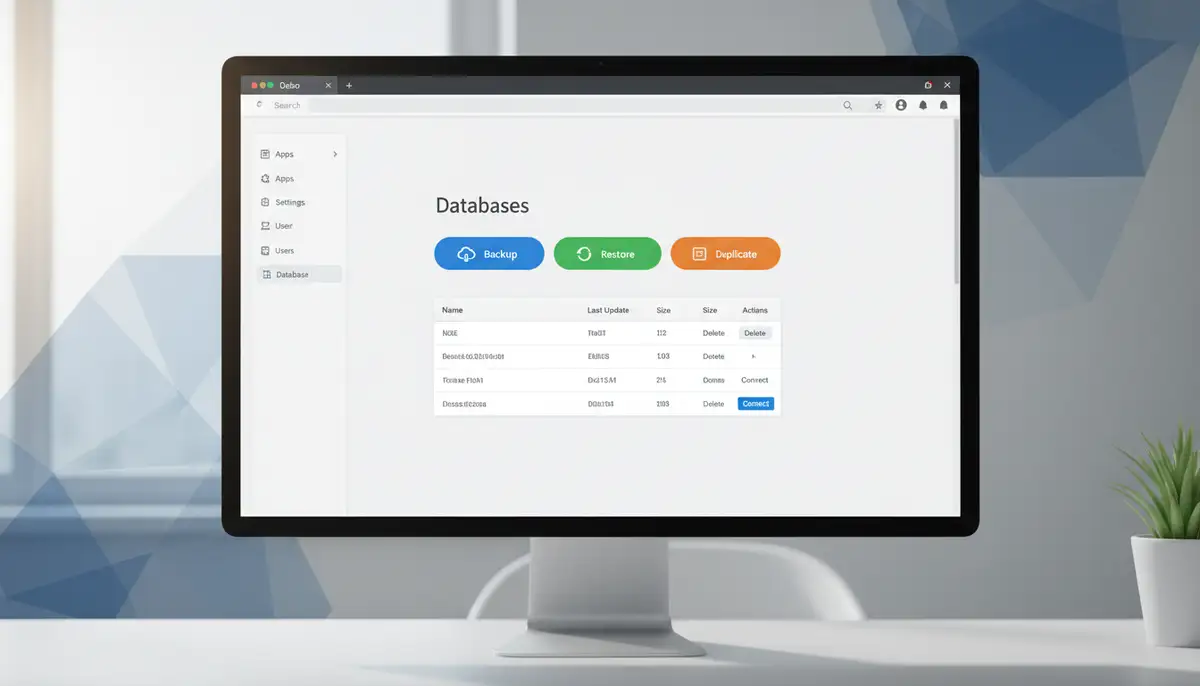
- Database Management Page: You can sign in to Odoo.com and navigate to your ‘My Databases’ section. This page allows you to duplicate your database, create backups, restore from backups, or even delete a database. This is your primary interface for managing the lifecycle of your Odoo Online instance. The official Odoo documentation for managing your online databases provides further details.
- Odoo Interface for Data Export: Within Odoo itself, you can export data from any model. This includes lists of products, customers, sales orders, and more. This feature is powerful for reporting, data migration, or simply reviewing large datasets. It’s a user-friendly way to extract information without needing direct database queries. For more insights on viewing application data, you can refer to discussions on viewing Odoo Online application data.
- API Access: For more advanced integrations or custom data extraction, Odoo’s API (Application Programming Interface) is the recommended method. It allows external applications to interact with your Odoo instance programmatically. This ensures data integrity and security by working through Odoo’s defined data models and business logic.
While you might not directly use SQL queries to access Odoo database in a SaaS environment, these built-in tools offer significant control and data accessibility. They are designed to be secure and maintain the integrity of your system. For most business users, these methods are more than sufficient for their data needs. They also prevent accidental data corruption that can occur with direct SQL manipulation.
2. How to Access Odoo Database in On-Premise/Self-Hosted Environments
For organizations running Odoo on their own servers, whether physically or in a private cloud, the level of database access is much higher. Here, you have full control over the PostgreSQL database instance. This means you can use standard database administration tools to connect directly. This direct access is crucial for various advanced tasks. These tasks include performance tuning, complex data migrations, or forensic analysis.
- Direct PostgreSQL Connection: You can use tools like pgAdmin, DBeaver, or even the `psql` command-line client to connect to your Odoo’s PostgreSQL database. You’ll need the database name, username, password, and host/port details. These credentials are typically found in your Odoo configuration file (e.g., `odoo.conf`). This method gives you raw SQL access to all tables and data.
- Security Considerations: With great power comes great responsibility. Direct access requires stringent security measures. Ensure your database server is properly secured, access is restricted to authorized personnel, and strong passwords are used. Implement IP whitelisting and use SSL/TLS for connections.
- Backup and Restore: While Odoo provides internal backup mechanisms, direct database access allows for more robust, external backup strategies. You can use PostgreSQL’s `pg_dump` and `pg_restore` utilities for comprehensive database backups and restores. These are critical for disaster recovery planning.
Understanding how to access Odoo database directly in a self-hosted environment is vital for system administrators and developers. It provides the flexibility needed for custom solutions and deep system management. However, it also demands a high level of technical expertise to prevent data corruption or security breaches. Many Odoo partners, including Odiware Technologies and even firms like ksolves.com, emphasize the importance of secure database practices.
3. Development Environment Access
Developers working on Odoo customizations or module development frequently need to access Odoo database directly. This is essential for debugging, understanding data models, and performing data manipulation during development cycles. Tools like DBeaver are particularly popular in the Odoo community for this purpose. A detailed guide on accessing Odoo’s PostgreSQL database with DBeaver can walk you through the specifics of setting up such a connection.
- DBeaver, pgAdmin, and other SQL Clients: These graphical tools provide an intuitive interface for browsing database schemas, running SQL queries, and viewing data. They simplify complex database interactions for developers.
- Python ORM (Object-Relational Mapping): Odoo’s primary method for interacting with its database is through its Python ORM. This abstraction layer allows developers to work with Odoo records (objects) rather than directly with SQL tables. While not ‘direct database access’ in the traditional sense, it’s how Odoo’s application logic interacts with the data. Understanding the ORM is fundamental for Odoo development.
- Debugging Tools: When debugging Odoo code, developers often inspect the database state to understand how data is being created, modified, or retrieved. Direct database access complements Odoo’s built-in debugging tools.
In development, the ability to access Odoo database quickly and efficiently significantly boosts productivity. It allows for rapid iteration and testing of new features. However, it also requires developers to be mindful of data integrity. Always work on development databases, never directly on production, without proper precautions.
Why Direct Database Access Matters: Business Context and Impact
Beyond technical curiosity, understanding how to access Odoo database carries significant business implications. It’s not about being a database administrator. It’s about empowering your business to leverage its most valuable asset: data. Strategic database access allows for several critical functions that drive efficiency and informed decision-making.
- Advanced Reporting and Business Intelligence: While Odoo offers excellent built-in reports, direct database access enables highly customized, complex reporting. You can integrate Odoo data with external BI tools (e.g., Power BI, Tableau). This provides a holistic view of your business performance, merging Odoo data with other sources.
- Data Migration and Integration: When migrating from legacy systems or integrating Odoo with other enterprise applications, direct database interaction is often indispensable. It allows for precise data mapping, transformation, and bulk loading, ensuring data accuracy.
- Performance Tuning and Optimization: For large Odoo implementations, analyzing database performance is crucial. Direct access allows administrators to identify slow queries, optimize indexes, and fine-tune database configurations. This ensures your Odoo system runs smoothly and efficiently.
- Data Auditing and Compliance: In regulated industries, the ability to audit data changes directly in the database is vital for compliance. You can track who changed what, when, and how, providing an immutable record for regulatory scrutiny.
- Disaster Recovery and Data Integrity: Having the capability to perform robust backups and restores directly at the database level is fundamental to any disaster recovery plan. It safeguards your business against data loss and ensures continuity. This also applies to expert insights on mastering accounting in Odoo, where data integrity is paramount.
The ability to access Odoo database empowers businesses to move beyond standard functionalities. It allows for deeper customization, better integration, and more profound insights. This strategic capability transforms Odoo from merely an ERP system into a powerful business intelligence engine. While solutions from companies like odooimplementers.com or cybrosys.com offer robust services, understanding the underlying database access remains crucial for true data mastery.
Best Practices for Secure and Effective Database Interaction
Accessing your Odoo database, especially directly, comes with inherent risks. A single incorrect query can lead to data corruption, system downtime, or security vulnerabilities. Therefore, adopting best practices is not optional; it’s mandatory. These guidelines ensure you can leverage database access safely and effectively.
- Principle of Least Privilege: Grant only the minimum necessary permissions to users or applications accessing the database. Avoid using superuser accounts for routine operations. This limits potential damage if credentials are compromised.
- Regular Backups: Implement a robust, automated backup strategy. Test your restore procedures periodically. This ensures you can recover from any accidental data loss or system failure. Always have a recent, verified backup before performing significant database operations.
- Development/Staging Environments: Never perform direct database operations on a live production system without rigorous testing. Always replicate your production environment in a development or staging instance first. Test all queries and changes there.
- Version Control for SQL Scripts: Treat your SQL scripts like application code. Store them in a version control system (e.g., Git). This tracks changes, allows rollbacks, and facilitates collaboration among team members.
- Logging and Monitoring: Implement comprehensive logging for all database access and modifications. Monitor database activity for unusual patterns or unauthorized access attempts. This helps in identifying and mitigating security threats.
- Data Anonymization for Non-Production: When working with development or testing databases, anonymize sensitive production data. This protects privacy and complies with data protection regulations (e.g., GDPR, CCPA).
- Consult an Expert: If you’re unsure about a complex database operation, always consult with experienced Odoo database administrators or Odoo consultants. The cost of an expert review is minimal compared to the potential cost of data loss or system downtime.
Adhering to these best practices is essential for any organization that needs to access Odoo database. It creates a secure and stable environment for your critical business data. At Odiware, we help clients establish these protocols, safeguarding their Odoo investments.
Common Pitfalls When Interacting with the Odoo Database
Even with best intentions, mistakes can happen. When you access Odoo database directly, certain common pitfalls can lead to significant issues. Being aware of these can help you avoid costly errors and maintain the integrity of your Odoo system.

- Directly Modifying Data Without Odoo ORM: Odoo’s Object-Relational Mapping (ORM) handles complex relationships, default values, and triggers. Bypassing the ORM to directly update tables can lead to inconsistent data, broken relationships, or un-triggered business logic. Always use Odoo’s API or ORM for data manipulation whenever possible.
- Ignoring Database Constraints: PostgreSQL enforces constraints (e.g., foreign keys, unique constraints) to maintain data integrity. Disabling or ignoring these constraints during bulk operations can introduce invalid data. This causes errors within Odoo.
- Lack of Transaction Management: When performing multiple database operations, always wrap them in a transaction. This ensures that all operations succeed or fail together. If any part of the operation fails, the entire transaction can be rolled back, preventing partial updates.
- Inadequate Backup Strategy: Relying solely on Odoo’s internal backup feature for critical data can be risky. A comprehensive strategy includes external, off-site backups with tested recovery procedures.
- Security Vulnerabilities: Using weak credentials, exposing database ports to the internet, or failing to patch PostgreSQL can lead to unauthorized access. This can result in data breaches or system compromise. This is particularly critical when you need to access Odoo database from external tools.
- Performance Degradation: Running unoptimized or resource-intensive queries on a production database can significantly impact Odoo’s performance. This slows down the entire system for all users. Always analyze query plans and optimize SQL for efficiency.
Avoiding these pitfalls requires a combination of technical skill, careful planning, and a deep understanding of Odoo’s architecture. It underscores why a cautious approach is crucial when determining how to access Odoo database. This proactive stance protects your business operations.
When to Involve an Odoo Consultant for Database Access
While understanding how to access Odoo database is valuable, there are clear instances where engaging an experienced Odoo consultant is not just beneficial, but essential. Odiware Technologies specializes in Odoo ERP implementation and custom software solutions. We help businesses streamline operations and enhance productivity. Our expertise bridges the gap between technical capabilities and business objectives.
| Scenario | Why a Consultant is Needed | Odiware’s Role |
|---|---|---|
| Complex Data Migrations | Ensuring data integrity, handling transformations, and minimizing downtime from legacy systems. | We plan, execute, and validate migrations, ensuring your historical data seamlessly integrates into Odoo. |
| Advanced Custom Reporting & BI | Designing complex SQL queries, integrating with external BI tools, and creating meaningful dashboards. | Our team builds custom data models and reporting solutions, turning raw data into actionable business intelligence. |
| Performance Optimization | Identifying bottlenecks, optimizing queries, fine-tuning database configurations, and scaling infrastructure. | We conduct performance audits, implement optimizations, and provide ongoing monitoring to keep your Odoo running at peak efficiency. |
| Database Security Audits | Assessing vulnerabilities, implementing robust security protocols, and ensuring compliance with industry standards. | We perform comprehensive security reviews, recommend best practices, and help fortify your Odoo database against threats. |
| Disaster Recovery Planning | Developing robust backup strategies, testing recovery procedures, and establishing business continuity plans. | We design and implement resilient disaster recovery solutions, giving you peace of mind that your data is safe and recoverable. |
| Major System Upgrades | Managing database schema changes, data migrations between versions, and ensuring compatibility. | Our consultants manage complex Odoo upgrades, ensuring a smooth transition with minimal disruption to your operations. |
Engaging Odiware means leveraging deep technical knowledge combined with extensive business process understanding. We ensure that when you need to access Odoo database for critical tasks, it’s done securely, efficiently, and with your long-term business goals in mind. We guide you like a partner, providing confident explanations and focusing on business impact.
Frequently Asked Questions About Odoo Database Access
- Q: Is it safe to directly modify my Odoo database? A: Generally, no. Direct modification carries significant risks of data corruption or breaking Odoo’s internal logic. Always prefer using Odoo’s interface, API, or ORM. If direct modification is unavoidable, ensure you have a recent backup and work with an expert in a non-production environment.
- Q: Can I access my Odoo Online (SaaS) database with pgAdmin? A: No, Odoo Online instances do not provide direct PostgreSQL access via external tools. Odoo S.A. manages the underlying infrastructure. You can manage your database through the Odoo.com portal and export data via the Odoo interface or API.
- Q: What are the main differences between Odoo Online and self-hosted database access? A: Odoo Online offers limited, managed access through the Odoo.com portal and API. Self-hosted environments provide full, direct PostgreSQL access, allowing for advanced tools like pgAdmin or DBeaver, but also requiring more responsibility for security and maintenance.
- Q: What is the Odoo ORM, and why is it important for database interaction? A: The Odoo ORM (Object-Relational Mapping) is a Python layer that allows developers to interact with Odoo data as Python objects rather than raw SQL. It handles database operations, relationships, and business logic. Using the ORM ensures data integrity and consistency within Odoo.
- Q: How can Odiware help with my Odoo database needs? A: Odiware Technologies provides expert Odoo consulting services. We assist with secure database access strategies, performance optimization, data migration, custom reporting, and disaster recovery planning. Our goal is to ensure your Odoo database supports your business effectively and securely.
Conclusion: Strategic Data Management for Your Odoo Ecosystem
Understanding how to access Odoo database is more than a technical detail; it’s a foundational aspect of effective ERP management. Whether you’re leveraging Odoo Online’s robust administrative tools or navigating the direct access of a self-hosted environment, the principles of security, data integrity, and strategic insight remain constant. The ability to properly manage and interact with your Odoo data directly impacts your business’s agility, reporting capabilities, and overall operational efficiency.

At Odiware Technologies, we believe in empowering our clients with the knowledge and tools to maximize their Odoo investment. While this guide provides a comprehensive overview, the nuances of each Odoo implementation can be complex. We encourage a proactive approach to database management, prioritizing security and best practices. If you’re looking to deepen your understanding or require expert assistance with your Odoo database, our team of seasoned consultants is here to help. We can ensure your data strategy aligns with your business objectives. Don’t hesitate to reach out for a personalized consultation. Contact us to discuss your Odoo database needs and how Odiware can be your trusted partner in navigating the complexities of your Odoo ecosystem.


