Introduction: Why Odoo ERP Customization Matters in Today’s Business Landscape
In 2025, businesses face unprecedented demands for agility and efficiency. Generic software often falls short. This is where the strategic advantage of Odoo ERP customization becomes critical. It allows your enterprise resource planning system to perfectly align with your unique operational workflows, rather than forcing your business to adapt to the software.
As an experienced Odoo consultant, I’ve seen firsthand how a well-executed Odoo ERP customization project can transform operations. It’s not just about changing colors or adding a field. It’s about crafting a digital backbone that truly supports your company’s growth and specific needs. Understanding the nuances of Odoo ERP customization is key to unlocking its full potential.
What Exactly is Odoo ERP Customization?
At its core, Odoo ERP customization involves modifying or extending the standard Odoo platform. The goal is to meet a company’s specific, often unique, business requirements. This goes beyond simple configuration, which uses existing settings. Customization involves deeper changes, often requiring development work. For a more detailed understanding of what Odoo customization entails, you can explore resources like this beginner’s guide for businesses.
Think of Odoo as a powerful, versatile foundation. Odoo ERP customization means building bespoke rooms, adding new floors, or even creating entirely new wings onto that foundation. It ensures the system works precisely how your business needs it to, rather than making do with a ‘one-size-fits-all’ solution.
Why Businesses Need Odoo ERP Customization
Every business has its own rhythm, its own unique processes, and its own competitive edge. Standard Odoo, while robust, cannot anticipate every specific need. This is where Odoo ERP customization steps in to bridge the gap.
- Optimized Workflows: Streamline operations by aligning Odoo with your exact business processes, eliminating manual workarounds.
- Enhanced User Experience: Create an intuitive interface tailored to your employees’ roles, boosting productivity and adoption.
- Competitive Advantage: Implement unique features that differentiate your business from competitors like cybrosys.com or serpentcs.com.
- Scalability: Ensure your ERP system grows with your business, adapting to new challenges and opportunities.
- Regulatory Compliance: Integrate industry-specific compliance requirements directly into your Odoo system.
- Data Accuracy: Reduce errors by automating data entry and validation based on your specific rules.
Without Odoo ERP customization, businesses often resort to external spreadsheets or separate software. This creates data silos and inefficiencies. A tailored Odoo system consolidates everything, providing a unified source of truth.
Key Areas of Odoo ERP Customization
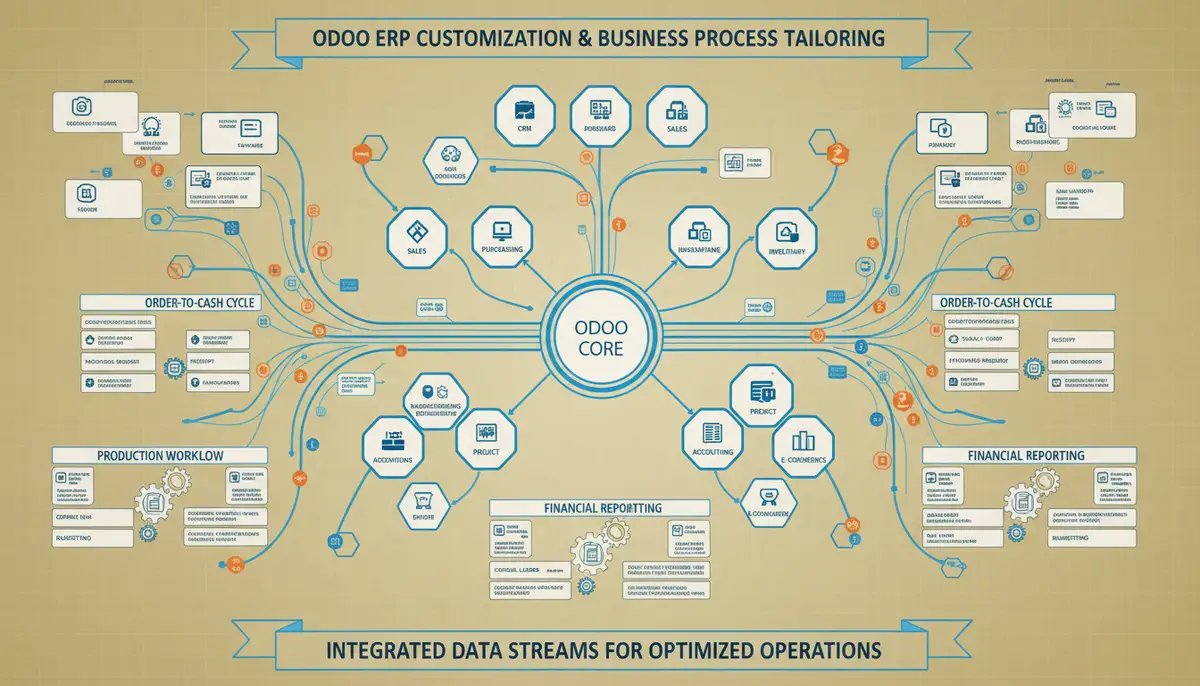
Odoo’s modular architecture makes it highly amenable to customization. This flexibility allows for targeted modifications across various aspects of the system. Let’s explore some common areas where Odoo ERP customization delivers significant value.
Module Development and Extension
Often, businesses require functionality not available in standard Odoo modules. This could be a specialized manufacturing process or a unique service delivery model. Custom module development fills these gaps. It involves creating entirely new modules or extending existing ones with new features, fields, or business logic. For example, a healthcare provider might need a custom module for patient record management that integrates with their billing system.

UI/UX Enhancements
An intuitive user interface is crucial for user adoption and productivity. Odoo ERP customization can involve tailoring the look and feel of Odoo. This includes custom dashboards, simplified data entry forms, or role-based views. These changes make the system more user-friendly and reduce training time. Imagine a sales team with a dashboard showing only their relevant KPIs and tasks, simplifying their daily workflow.
Reporting and Analytics
Standard Odoo reports are comprehensive, but businesses often need specific insights. Odoo ERP customization allows for the creation of custom reports, dashboards, and analytical tools. These provide real-time data tailored to your KPIs and decision-making processes. For instance, a retail business might need a daily sales report segmented by store, product category, and even weather conditions, which standard reports might not offer.
Integrations with External Systems
Modern businesses rarely operate with a single software. Integrating Odoo with existing systems like e-commerce platforms, payment gateways, or legacy software is vital. This ensures seamless data flow and avoids manual data transfer. This form of Odoo ERP customization connects your entire digital ecosystem. For a deeper dive into connecting Odoo with other platforms, consider reading our mastering Odoo ERP integration guide.
The Odoo Customization Process: A Consultant’s Perspective
A successful Odoo ERP customization project follows a structured approach. It’s a collaborative journey between your business and your Odoo partner. At Odiware, we prioritize understanding your needs deeply.
- Discovery and Analysis: We begin by thoroughly understanding your current processes, pain points, and future goals. This phase defines the scope of Odoo ERP customization.
- Requirements Gathering: Detailed documentation of all functional and technical requirements is crucial. This ensures everyone is aligned on what needs to be built.
- Design and Prototyping: Solutions are designed, and prototypes may be developed. This allows for early feedback and adjustments before extensive development begins.
- Development and Testing: Our expert developers implement the agreed-upon customizations. Rigorous testing ensures stability, performance, and adherence to requirements.
- Deployment and Training: The customized solution is deployed, and your team receives comprehensive training. This ensures smooth adoption.
- Post-Implementation Support: Ongoing support and maintenance are vital to ensure long-term success and address any new needs.
This iterative process ensures that the Odoo ERP customization perfectly fits your business. It minimizes risks and maximizes the return on your investment. For a broader view of the entire journey, you might find our expert guide on Odoo ERP implementation helpful.
Best Practices for Successful Odoo ERP Customization
Undertaking Odoo ERP customization requires careful planning and execution. Adhering to best practices can significantly impact the project’s success and maintainability. Companies like ksolves.com also emphasize these principles.
- Prioritize Needs: Not everything needs customization. Focus on changes that deliver the most significant business impact and ROI.
- Keep it Lean: Aim for minimal customization. The more you customize, the more complex upgrades and maintenance become.
- Follow Odoo Best Practices: Develop using Odoo’s framework and guidelines. This ensures compatibility and easier upgrades.
- Thorough Documentation: Document every customization. This is crucial for future maintenance, troubleshooting, and onboarding new developers.
- Version Control: Use a robust version control system for all custom code. This tracks changes and facilitates collaborative development.
- Rigorous Testing: Implement comprehensive testing procedures. Test all custom features, integrations, and their impact on standard functionalities.
Following these guidelines helps ensure your Odoo ERP customization remains robust and adaptable. It prevents your system from becoming a ‘Frankenstein’s monster’ that is difficult to manage. For more insights on effective strategies, refer to publications on best practices for Odoo ERP customization.
Common Pitfalls to Avoid in Odoo ERP Customization
While Odoo ERP customization offers immense benefits, certain missteps can derail a project. Being aware of these common pitfalls can help you navigate your customization journey more smoothly.
- Over-Customization: Trying to customize every minor detail can lead to increased costs, complexity, and upgrade difficulties. Not every minor inconvenience requires Odoo ERP customization.
- Lack of Clear Requirements: Vague or changing requirements result in rework and project delays. Define your needs precisely upfront.
- Ignoring Future Upgrades: Customizations can complicate future Odoo version upgrades. Plan for upgrade compatibility from the start.
- Poor Documentation: Undocumented customizations become black boxes. This makes them hard to maintain or modify later.
- Insufficient Testing: Rushing testing can lead to bugs and operational disruptions. Allocate ample time for thorough quality assurance.
- Choosing the Wrong Partner: An inexperienced Odoo partner can lead to inefficient code, missed deadlines, and cost overruns. Select a partner with proven expertise.
Avoiding these traps is crucial for a successful and sustainable Odoo ERP customization. It ensures your investment truly yields the desired business outcomes.
When to Engage an Odoo Consultant for Customization
While Odoo is user-friendly, deep Odoo ERP customization requires specialized skills. Engaging an experienced Odoo consultant is almost always the wisest choice. They bring technical expertise, industry knowledge, and a structured approach to your project.
At Odiware, we specialize in Odoo ERP customization and implementation. Our consultants guide you through every step, from initial analysis to post-deployment support. We ensure your customizations are robust, scalable, and aligned with Odoo’s best practices. This partnership reduces risks and accelerates your time to value. We are dedicated to delivering comprehensive Odoo customization services that truly empower your business.
Don’t view Odoo ERP customization as a DIY project. It’s a strategic investment that warrants professional guidance. An expert partner helps you avoid common pitfalls and ensures a future-proof solution.
Odoo ERP Customization vs. Configuration: Understanding the Difference
Many businesses confuse customization with configuration. Understanding the distinction is vital for planning your Odoo project. Configuration involves using Odoo’s built-in settings and options to tailor the system. Customization, on the other hand, involves altering or adding to Odoo’s core code or functionality.
| Feature | Odoo Configuration | Odoo ERP Customization |
|---|---|---|
| Nature of Change | Uses existing settings and options | Modifies or adds new code/logic |
| Complexity | Low to Medium | Medium to High |
| Technical Skill Required | Functional knowledge | Development expertise (Python, XML, JavaScript) |
| Impact on Upgrades | Generally low risk | Can complicate upgrades if not done carefully |
| Examples | Setting up accounting charts, defining user roles, activating modules | Developing new modules, modifying core logic, bespoke UI changes |
Both are important for tailoring Odoo to your needs. However, Odoo ERP customization carries more weight in terms of planning, resources, and long-term maintenance. A good consultant helps you determine which approach is appropriate for each requirement.
Future Trends in Odoo ERP Customization
The landscape of Odoo ERP customization is continuously evolving. We anticipate several key trends shaping its future. Low-code/no-code platforms within Odoo will empower more business users to make minor adjustments. This reduces reliance on developers for simple tasks.

Furthermore, AI and machine learning will play a larger role. They will enable smarter automation and predictive analytics within customized Odoo systems. Expect greater emphasis on modular, upgrade-friendly customizations that leverage Odoo’s native extension mechanisms. This ensures long-term system health and adaptability, making Odoo ERP customization even more powerful.
Frequently Asked Questions About Odoo ERP Customization
Q1: Is Odoo ERP customization expensive?
The cost of Odoo ERP customization varies widely. It depends on the complexity, scope, and the Odoo partner you choose. Simple customizations are less expensive than developing entirely new modules. Investing in smart customization, however, often provides significant ROI through efficiency gains.
Q2: Will customizations make Odoo upgrades difficult?
Customizations can indeed complicate upgrades if not handled correctly. However, following Odoo’s best practices, using proper development techniques, and working with an experienced partner minimizes this risk. A good Odoo ERP customization strategy accounts for future upgrades.
Q3: How long does Odoo ERP customization take?
Timelines for Odoo ERP customization projects vary greatly. They depend on the complexity and number of customizations. A small UI tweak might take days. A complex new module with integrations could take several months. A detailed discovery phase helps establish realistic timelines.
Q4: Can I customize Odoo myself?
While Odoo is open-source, deep customization requires strong technical skills in Python, XML, and Odoo’s framework. For critical business processes, it’s highly recommended to work with professional Odoo consultants. This ensures quality, scalability, and maintainability of your Odoo ERP customization.
Conclusion: Your Path to a Tailored Odoo Solution
Odoo ERP customization is not merely an option; it’s a strategic imperative for businesses aiming for peak performance in 2025 and beyond. It empowers you to mold Odoo into an exact fit for your unique operational landscape, driving efficiency and competitive advantage.
Navigating the complexities of Odoo ERP customization requires expertise and a clear vision. Partnering with a seasoned Odoo consultant ensures that your investment translates into tangible business value. At Odiware, we are committed to helping you unlock the full potential of your Odoo system through thoughtful, effective customization.
Ready to explore how Odoo ERP customization can transform your business? Don’t hesitate to reach out to Odiware for a consultation. Or, if you’re just starting to explore Odoo, you can also Try Free Trial to get a feel for the platform.