


Steps to Build a Sales Pipeline in Odoo 18
If you’re running a growing business, managing sales leads effectively can feel overwhelming. Leads come from multiple sources — website forms, cold calls, social media, or even referrals — and without a proper system, it’s easy to lose track of opportunities.
That’s where Odoo 18 CRM steps in. It allows you to create a sales pipeline that organizes, tracks, and automates your sales process — from the very first interaction to the final deal closure. In this blog, we’ll walk you step by step through building a sales pipeline in Odoo 18.
What is a Sales Pipeline?
A sales pipeline is a visual representation of where each prospect is in your sales journey. Think of it as a digital board where you move opportunities from “New Lead” → “Contacted” → “Qualified” → “Won”.
For example:
Imagine you run a software company. A lead signs up through your website → you contact them → you give a demo → they negotiate pricing → you close the deal.
That’s your sales pipeline in action.
Note: The steps explained here are based on Odoo 18. Depending on your edition or future updates, the interface and options may vary slightly. If you face any issues or notice differences in your interface, feel free to drop us a comment or contact us through our website — we’ll help you set it up for free.
Steps to Build a Sales Pipeline in Odoo 18
1. Activate the CRM Module
- Go to Apps in Odoo.
- Search for CRM and install it.
- Once installed, you’ll see the CRM dashboard with a pipeline view.
2. Define Your Sales Stages
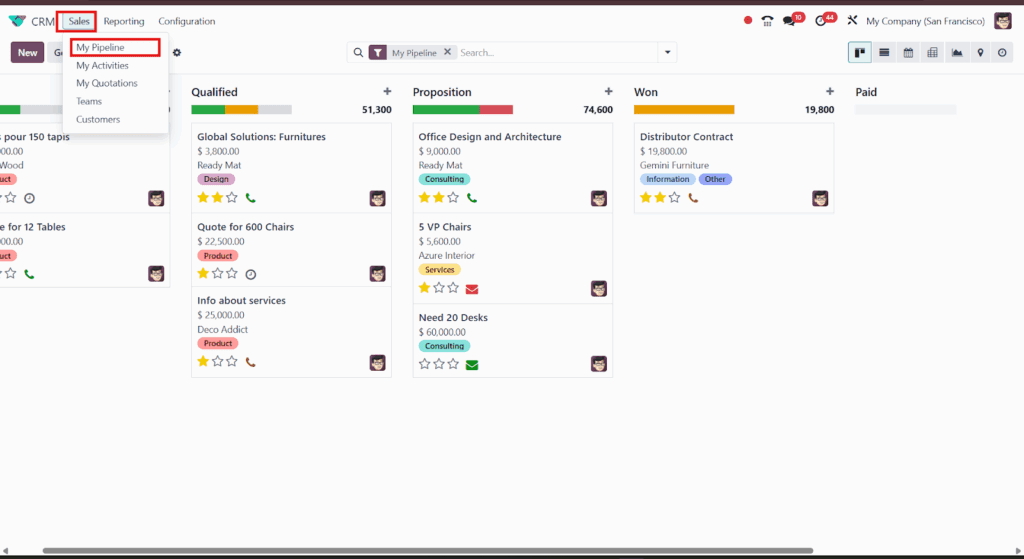
- Navigate to CRM > Sales > My Pipeline.
- Create stages that reflect your sales cycle (e.g., New, Contacted, Qualified, Proposal, Won/Lost).
- Assign probabilities to each stage (e.g., 10% for Contacted, 50% for Proposal).
3. Add Leads or Opportunities
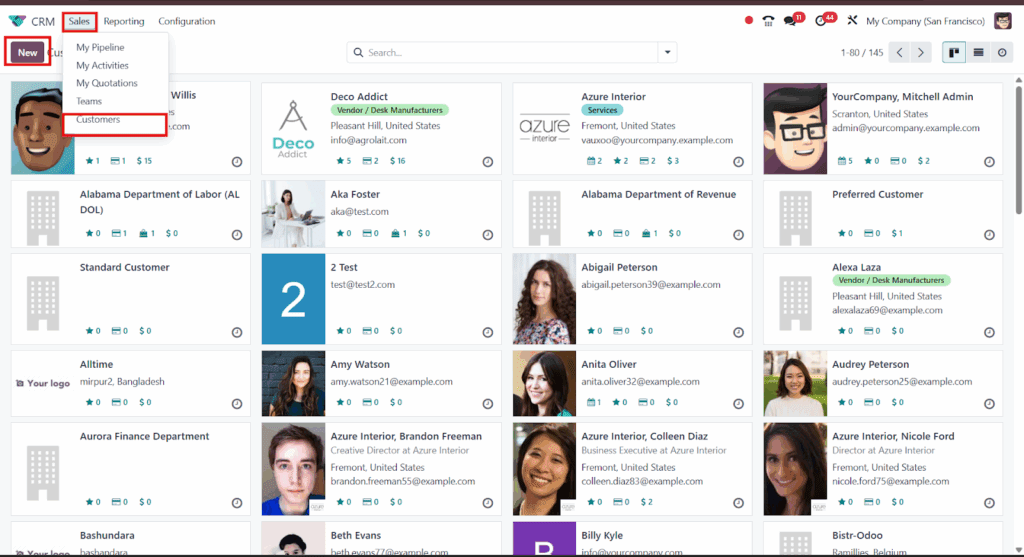
- Go to CRM > Sales > Customers.
- Click Create to add a new lead or opportunity.
- Fill in details like customer name, expected revenue, salesperson, and source.
You can also configure automatic lead creation from website forms or email campaigns.
4. Use Drag-and-Drop to Manage Deals

- Your pipeline will show opportunities as cards under each stage.
- Simply drag and drop leads as they move forward in the sales cycle.
- This gives you a real-time overview of your sales funnel.
5. Schedule Activities & Follow-Ups
- Open an opportunity → click Schedule Activity.
- You can plan calls, meetings, emails, or follow-ups directly inside Odoo.
- The system sends reminders so you never miss a chance to connect.
6. Track Performance with Reports
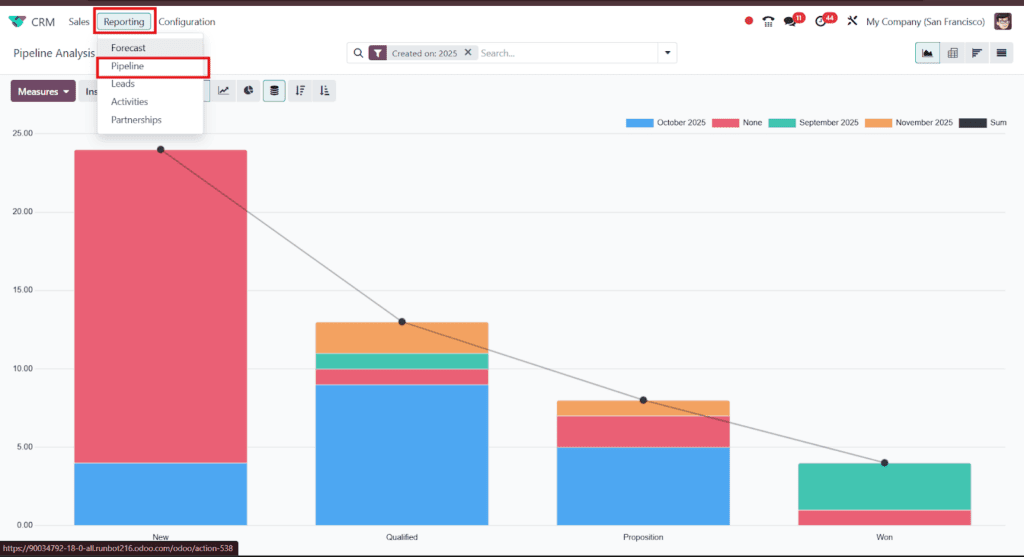
- Go to CRM > Reporting > Pipeline Analysis.
- View reports by stage, revenue, salesperson, or success rate.
- This helps identify bottlenecks (e.g., too many leads stuck in the Qualified stage).
Key Benefits of Using Odoo 18 Sales Pipeline
- Organized workflow = no lost opportunities.
- Better collaboration between sales team members.
- Data-driven insights to improve conversion rates.
- Automation saves time and reduces errors.
Final Thoughts
Building a sales pipeline in Odoo 18 isn’t just about tracking deals — it’s about creating a structured process that helps your team close more sales with less effort. Whether you’re a small startup or a scaling enterprise, Odoo CRM gives you the flexibility and power to manage leads effectively.
If you’re looking to set up a customized Odoo CRM pipeline for your business, the team at Odiware can help.
📩 Contact us today at sales@odiware.com or visit www.odiware.com.