Ask five business owners what ERP costs, and you'll probably get five different answers. That's not because nobody knows the price. It's because ERP pricing genuinely depends on what you're buying.
Ask five business owners what ERP costs, and you'll probably get five different answers. That's not because nobody knows the price. It's because ERP pricing genuinely depends on what you're buying.
Most people compare ERP the way they'd compare a phone plan - one number, one decision. But ERP software cost is closer to building a house. The license is just the foundation. What you add on top - implementation, customization, training, support - is where the real budget goes.
This confusion leads to a common misconception: that ERP is only for large companies with deep pockets. In reality, small businesses now run on ERP systems for a fraction of what enterprise buyers pay, especially with cloud-based platforms like Odoo.
This guide breaks down every cost component you'll actually encounter - software, implementation, hidden fees, and ongoing support - so you can budget with confidence.
If you're evaluating ERP solutions like Odoo, understanding the complete cost before implementation can help you make a smarter investment.
How Much Does ERP Cost for Small Businesses?
Here's a straightforward answer, though real pricing will vary based on your specific setup.
|
Business Size |
Estimated ERP Cost |
|---|---|
|
Startup |
₹20,000 - ₹80,000 |
|
Small Business |
₹80,000 - ₹5,00,000 |
|
Growing Business |
₹5 - 15 Lakh |
|
Enterprise |
Custom Pricing |
These figures cover licensing plus basic implementation. They aren't fixed quotes - think of them as a starting range to help you plan a budget conversation, not a final invoice.
Actual pricing depends on the number of users, the modules you need, how much customization your workflows require, whether you choose cloud or on-premise deployment, and who implements the system for you. Two companies with the same headcount can end up with very different bills simply because one needs manufacturing tracking and the other just needs basic accounting.
What Factors Affect ERP Software Cost?
Number of Users
Most ERP vendors price per user, per month or per year. A five-person team and a fifty-person team will never pay the same amount, even on identical modules.
Business Size
Larger businesses usually need more modules, more integrations, and more data migration work - all of which add to the bill.
Industry Requirements
A manufacturing unit needs shop floor tracking and bill-of-materials management. A retail store needs POS and inventory sync. Industry-specific needs shape your final cost more than most buyers expect.
Modules Required
Accounting alone costs far less than a full stack with CRM, inventory, HR, and manufacturing combined. Start with what you need today, not what you might need in three years.
Customization
Standard, out-of-the-box workflows are cheap. Custom approval flows, unique reports, or specific automations require developer hours, and developer hours cost money.
Implementation Partner
Freelancers charge less upfront but often lack structured support. Established implementation partners charge more but reduce the risk of a failed rollout - which costs far more in the long run.
Deployment Type
Cloud ERP usually has lower upfront cost and predictable monthly billing. On-premise ERP needs servers, IT staff, and higher initial investment.
Training & Support
Your team needs to actually use the system correctly. Skipping training to save money is one of the most common reasons ERP projects underdeliver.
Third-Party Integrations
Connecting your ERP to payment gateways, e-commerce platforms, or existing tools adds development time and, sometimes, licensing fees from the third-party side.
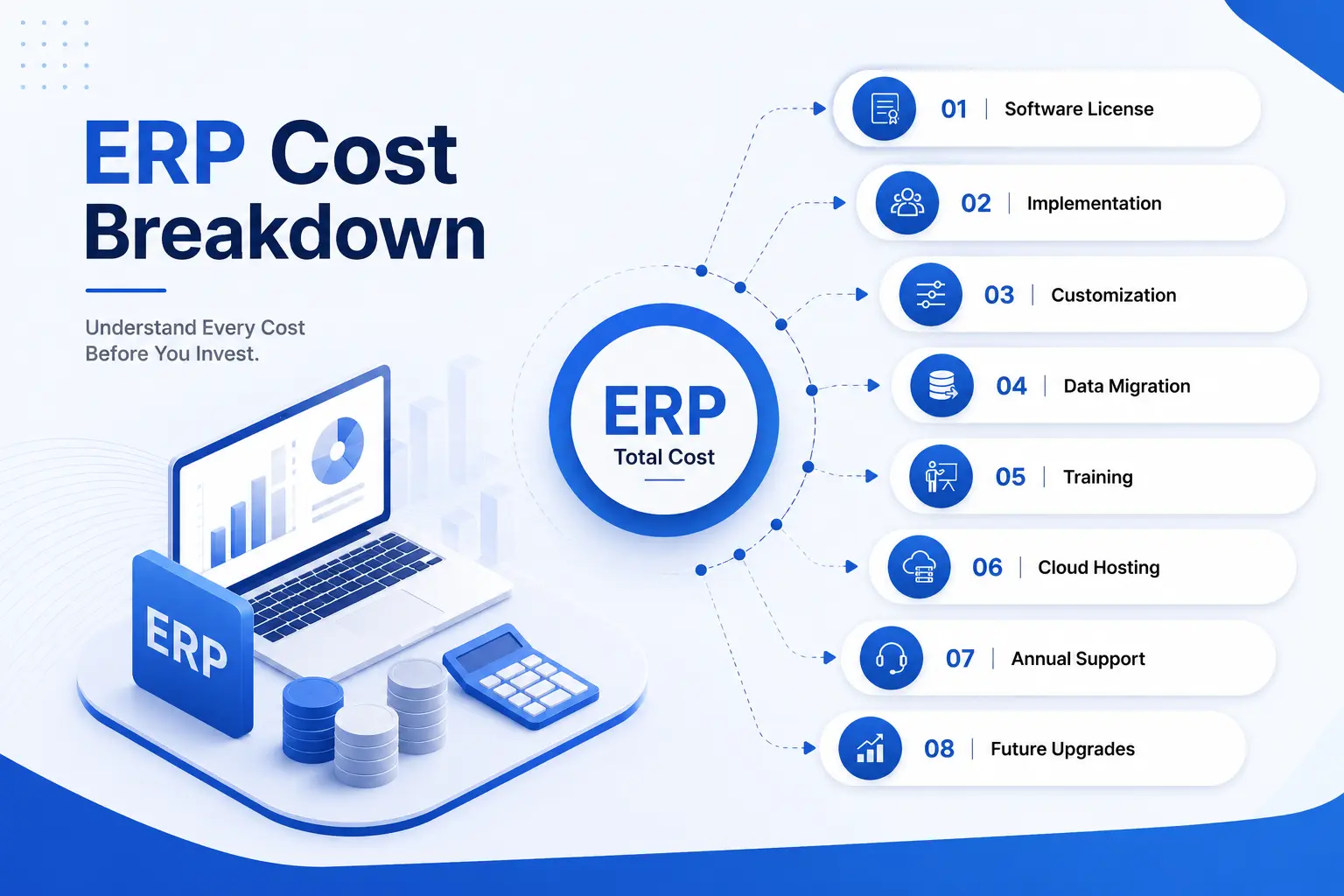
ERP Cost Breakdown
|
Cost Component |
Typical Impact |
|---|---|
|
Software License |
Recurring base cost, scales with users and modules |
|
Implementation |
One-time cost; varies with complexity and timeline |
|
Customization |
Optional, but adds significant cost if workflows are non-standard |
|
Data Migration |
Depends on volume and quality of existing data |
|
Training |
Usually a smaller, fixed cost per session or per user group |
|
Cloud Hosting |
Recurring monthly or annual fee, tied to server usage |
|
Annual Support |
Typically 15–20% of license cost per year |
|
Upgrades |
Included in cloud subscriptions; billed separately for on-premise |
Software license is often the smallest line item in the total budget. Implementation and customization together usually cost more than the license itself, which surprises a lot of first-time ERP buyers.
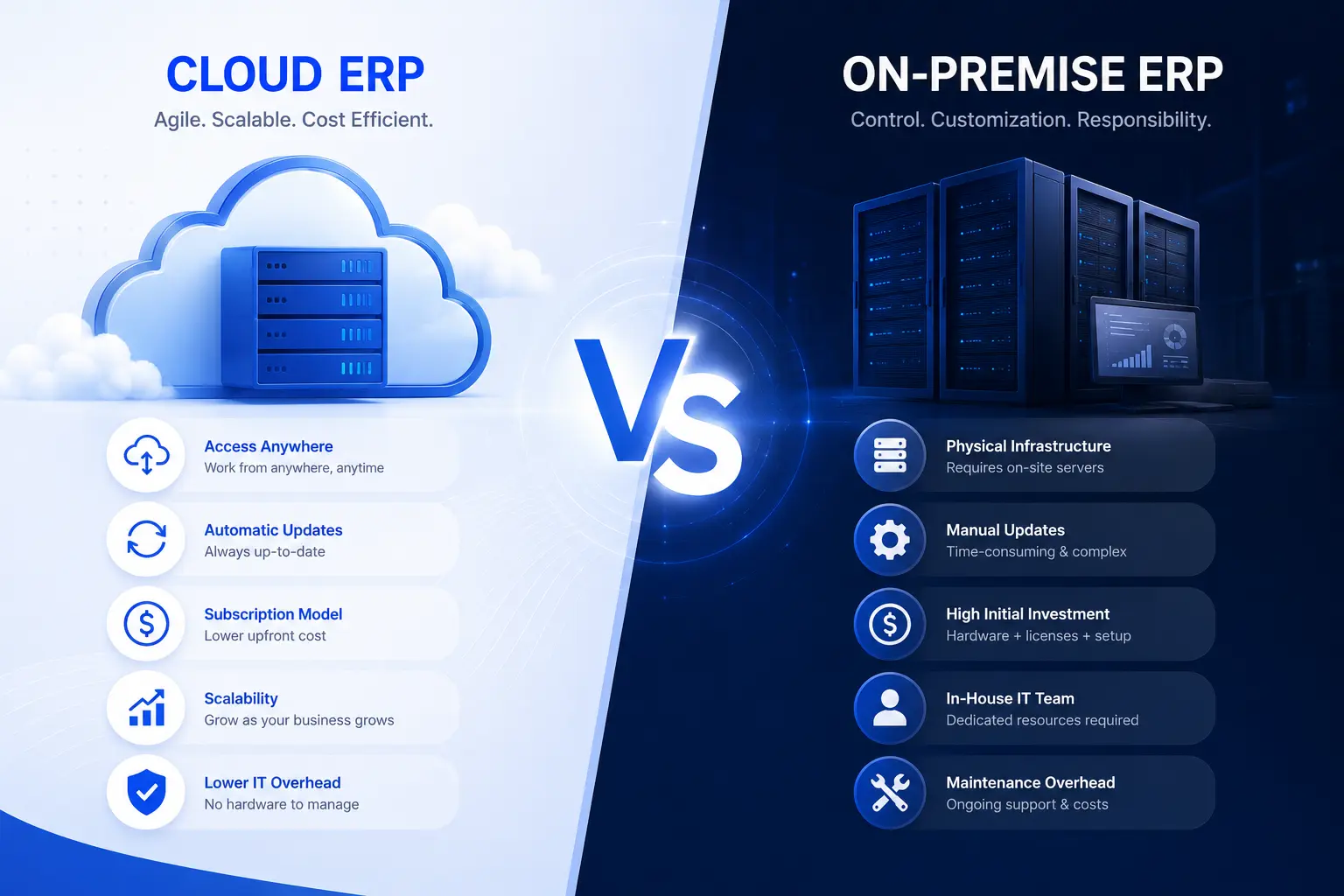
Cloud ERP vs On-Premise ERP Cost Comparison
|
Feature |
Cloud ERP |
On-Premise ERP |
|---|---|---|
|
Initial Cost |
Low to moderate |
High |
|
Maintenance |
Handled by vendor |
Managed in-house |
|
Infrastructure |
Not required |
Servers and IT setup required |
|
Security |
Vendor-managed, regularly updated |
Self-managed, needs dedicated IT |
|
Scalability |
Easy, add users as you grow |
Requires hardware upgrades |
|
Updates |
Automatic |
Manual, scheduled by IT team |
|
Best For |
Small and growing businesses |
Large enterprises with in-house IT |
Most SMEs prefer cloud deployment because it lowers upfront investment and simplifies maintenance.
ERP Pricing Models Explained
Subscription Pricing
You pay monthly or annually per user. This spreads cost over time and keeps upfront investment low, which works well for small businesses managing cash flow.
One-Time License
You pay a lump sum for perpetual use. This suits businesses that prefer owning the software outright, though it usually comes with separate annual maintenance fees.
Per User Pricing
Cost scales directly with headcount. It's transparent and easy to budget, but growing teams should check how pricing changes at higher user counts.
Custom Enterprise Pricing
Large or complex implementations get a tailored quote based on modules, users, integrations, and support level required.
Hidden ERP Costs Businesses Often Miss
A few costs rarely show up in the initial quote but appear later in the invoice:
- Customization: modifying standard workflows to match your business
- Data migration: cleaning and transferring records from old systems
- User training: onboarding staff so adoption doesn't stall
- Annual maintenance: ongoing fixes, patches, and vendor support
- Integrations: connecting ERP with payment gateways, e-commerce, or accounting tools
- Server cost: relevant mainly for on-premise deployments
- Support: priority support tiers often cost extra
- Future upgrades: new modules or feature additions down the line
- Testing: validating workflows before go-live
These costs often exceed the software license if not planned properly. A realistic budget should set aside 20–30% extra for exactly this reason.
ERP Cost by Business Type
|
Industry |
Estimated ERP Budget |
|---|---|
|
Manufacturing |
Higher - needs production, BOM, and shop floor modules |
|
Retail |
Moderate - POS and inventory-focused |
|
Wholesale |
Moderate - inventory and multi-warehouse focus |
|
Distribution |
Moderate to high - logistics and route planning add cost |
|
Healthcare |
Higher - compliance and patient data handling increase scope |
|
Education |
Lower to moderate - mostly admin and fee management |
|
Service Businesses |
Lower - project and billing modules, minimal inventory needs |
ERP Cost by Module
|
Module |
Typical Cost Impact |
|---|---|
|
Accounting |
Low - usually the base module |
|
CRM |
Low to moderate |
|
Sales |
Low |
|
Purchase |
Low |
|
Inventory |
Moderate |
|
Manufacturing |
High - most complex module to configure |
|
HRMS |
Moderate |
|
Payroll |
Moderate, depends on compliance rules |
|
POS |
Low to moderate |
|
Project Management |
Low to moderate |
Odoo ERP Pricing Explained
Odoo is one of the more transparent ERP options on the market, but its total cost still depends on a few moving parts.
Community vs Enterprise: Odoo Community is free and open-source, suited to businesses with technical resources to self-manage. Odoo Enterprise is a paid, per-user subscription with additional modules, official support, and regular updates.
License Cost: Enterprise pricing is billed per user, per month, and varies by the apps you activate.
Implementation Cost: This depends on how many modules you deploy and how much configuration your business needs.
Customization Cost: Odoo's modular structure keeps customization relatively affordable compared to rigid legacy ERPs, but developer hours still apply for anything beyond standard features.
Hosting: Odoo Online (cloud) has hosting built into the subscription. Odoo.sh or on-premise setups involve separate hosting costs.
Training: Usually priced per session or bundled into implementation packages.
Ongoing Support: Annual support plans typically run a percentage of your license cost.
Businesses looking for transparent Odoo ERP pricing can explore Odiware's Odoo Pricing plans to compare implementation options based on their business size and operational requirements.
Many growing businesses choose Odoo after reaching the limits of spreadsheet-based processes. Its modular design, automation capabilities, and scalability make it a practical choice for SMEs planning long-term growth. Learn why more companies are making the switch in our Why Businesses Are Switching from Excel to Odoo ERP in 2026 guide.
Odoo ERP vs Traditional ERP Cost Comparison
|
ERP |
Initial Cost |
Scalability |
Best For |
|---|---|---|---|
|
Odoo |
Low to moderate |
High, modular growth |
SMEs and mid-sized businesses |
|
SAP |
High |
High, but complex to scale |
Large enterprises |
|
Oracle |
High |
High, enterprise-grade |
Large enterprises with complex operations |
|
Microsoft Dynamics |
Moderate to high |
High |
Mid-to-large businesses |
|
ERPNext |
Low |
Moderate |
Budget-conscious SMEs |
Odoo remains popular among SMEs mainly because of its modular pricing - you only pay for the apps you actually use. Its open architecture also makes customization less expensive than rigid, monolithic ERPs like SAP or Oracle, where changes often require specialized consultants at premium rates.
How to Reduce ERP Implementation Cost
- Start with essential modules and add more as you grow
- Avoid unnecessary customization in the first phase
- Choose cloud deployment to reduce infrastructure spend
- Train internal users thoroughly to reduce dependency on support tickets
- Select an experienced implementation partner to avoid costly rework
- Scale gradually instead of deploying every module on day one
Before investing in ERP, it's important to organize your existing business data. Companies still using paper-based records often experience longer implementation timelines and higher migration costs. Our How to Move from Paper Records to Business Software: A Complete Guide for Small Businesses explains how to prepare your business for a smoother digital transition.
Is ERP Worth the Investment?
ERP isn't just software - it's an operational upgrade. The return shows up gradually, through:
- Faster day-to-day operations across departments
- Better, real-time reporting for decision-making
- Reduced manual, repetitive work
- More accurate inventory and stock visibility
- Increased overall team productivity
- Lower operating costs over time
- Better customer experience through faster response times
The honest answer is that ERP ROI isn't immediate. Most businesses see meaningful returns within 6 to 18 months, depending on how well the system is adopted internally.
Many small businesses initially rely on spreadsheets to manage operations because they're familiar and inexpensive. However, as data grows, manual processes often become difficult to manage efficiently. If you're unsure whether it's time to upgrade, read our ERP vs Excel: Which Is Better for Small Businesses? guide to understand when an ERP becomes a smarter long-term investment.
Why Businesses Choose Odiware for ERP Implementation
Odiware works with small and growing businesses that want a straightforward, well-planned ERP rollout - without the guesswork.
- Certified Odoo experts with hands-on implementation experience
- Transparent pricing with no hidden line items
- Industry experience across manufacturing, retail, distribution, and services
- End-to-end implementation, from planning to go-live
- Migration support for businesses moving off legacy systems
- Custom development for workflows that don't fit standard modules
- Structured training so teams actually adopt the system
- Ongoing maintenance and support after go-live
- Expertise across both cloud and on-premise deployments
Whether you're planning your first ERP implementation or upgrading from legacy software, Odiware helps businesses choose the right Odoo solution with transparent pricing and expert guidance.
Explore Odoo Pricing, Odoo Implementation, Odoo Consulting, or Odoo Migration Services to see which path fits your business best. If you're also evaluating CRM software or HRMS software alongside your ERP rollout, our team can walk you through how these modules work together.
Frequently Asked Questions
How much does ERP cost for a small business?
Small business ERP typically ranges from ₹80,000 to ₹5,00,000, depending on users, modules, and deployment type. Startups with basic needs may spend as little as ₹20,000–₹80,000. The exact figure depends on customization, training, and whether you choose cloud or on-premise hosting.
What is ERP implementation cost?
Implementation cost covers configuration, data migration, testing, and go-live support — separate from the software license itself. It usually depends on the number of modules deployed and how much the workflows differ from standard, out-of-the-box settings. For small businesses, this often equals or exceeds the license cost.
What factors affect ERP pricing?
Key factors include the number of users, modules required, industry-specific needs, customization level, deployment type, and the implementation partner chosen. Training and ongoing support also affect the total cost. Businesses with simple, standard workflows generally pay less than those needing heavy customization.
Is cloud ERP cheaper?
Cloud ERP is usually cheaper upfront since it removes the need for servers and dedicated IT infrastructure. Costs are spread as predictable monthly or annual subscriptions instead of a large one-time investment. Over several years, total cost can be similar to on-premise, but cash flow impact is much lighter.
Is Odoo suitable for startups?
Yes. Odoo's modular pricing lets startups begin with just the apps they need — like accounting or CRM — and add modules as the business grows. This keeps initial investment low while still allowing the system to scale alongside the company.
How long does ERP implementation take?
Simple implementations with a few modules can take 4–8 weeks. More complex rollouts involving manufacturing, multiple locations, or heavy customization can take 3–6 months. Timeline depends largely on data readiness and how quickly your team can test and approve workflows.
Does ERP require annual maintenance?
Yes, most ERP systems require annual maintenance for updates, bug fixes, and support access. This typically costs around 15–20% of the license fee each year. Skipping maintenance can leave your system outdated and unsupported over time.
Can ERP be customized later?
Yes, most modern ERP systems, including Odoo, are built to be modular. You can add modules, workflows, or integrations after go-live as your business needs evolve, without rebuilding the entire system from scratch.
Which ERP is best for SMEs?
Odoo is widely considered one of the best options for SMEs due to its modular structure, lower initial cost, and flexibility compared to rigid enterprise systems like SAP or Oracle. The right choice ultimately depends on your industry, budget, and long-term growth plans.
What is included in ERP implementation?
Implementation typically includes requirement analysis, system configuration, data migration, integration setup, testing, user training, and go-live support. Some providers also include a post-launch support period to resolve early adoption issues.
Conclusion
ERP is a business investment, not just a software purchase. The license price is only one part of a much bigger picture that includes implementation, training, customization, and ongoing support.
Price should never be the only factor in your decision. A cheaper system that doesn't fit your workflows will cost more in lost time and rework than a slightly pricier one that's implemented correctly.
Take the time to compare pricing models, understand what's included, and ask vendors direct questions about hidden costs before signing anything.
If you're ready to see real numbers for your business, compare Odoo pricing plans or request a consultation with Odiware's team to get a budget tailored to your operations.
Get a free 30-minute review with an Odiware Odoo consultant — bring your current setup and we'll map the fastest route to a working configuration.
 ODOO IMPLEMENTATION PARTNER