Managing your payroll documents is essential for both employees and HR professionals. If your company uses Odoo 18 Enterprise, accessing your payslips becomes incredibly simple through its self-service employee portal. Whether you need your latest payslip for personal records, loan applications, or income proof, Odoo ensures it’s just a few clicks away.
Managing your payroll documents is essential for both employees and HR professionals. If your company uses Odoo 18 Enterprise, accessing your payslips becomes incredibly simple through its self-service employee portal. Whether you need your latest payslip for personal records, loan applications, or income proof, Odoo ensures it’s just a few clicks away.
In this blog, we’ll walk you through the step-by-step process of viewing and downloading your payslips in Odoo 18.
Step-by-Step Guide to Access Your Payslips
Step 1: Log in to the Payroll Portal
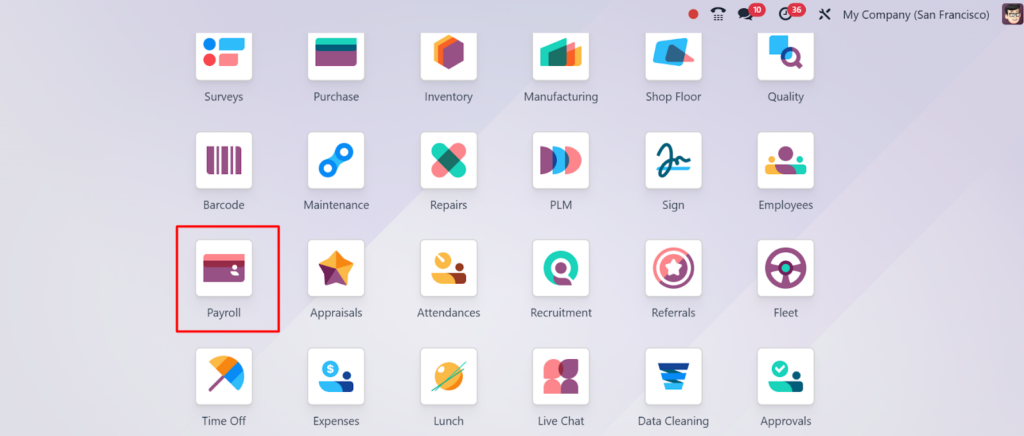
- To begin, go to your company’s Odoo instance and log in using your employee credentials.
- Navigate to the top-right corner and select “My Profile” or “My Dashboard” — this will lead you to your employee self-service area.
Step 2: Go to the “Payslips” Menu
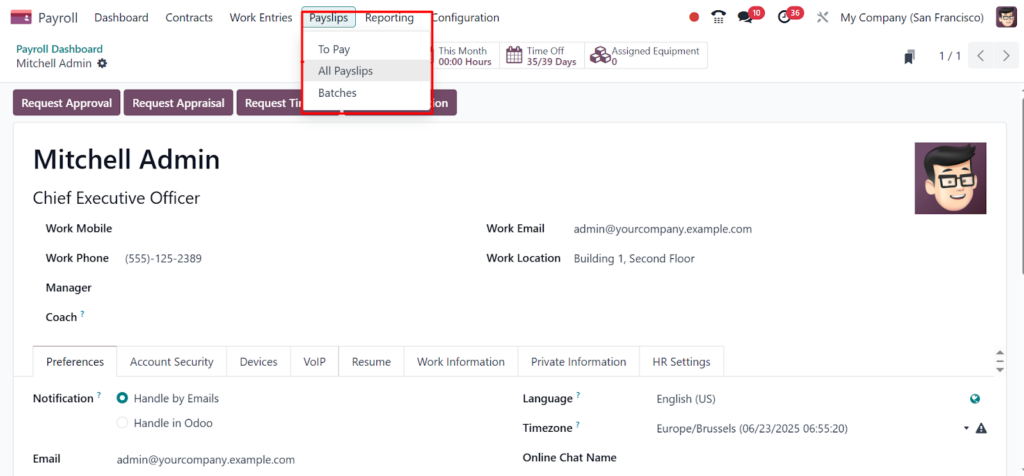
Once you’re in your portal:
- Look for a menu titled “Payslips” or under “Payroll”.
- Click on it to view all payslips generated for your profile.
Each payslip entry usually includes details like:
- Pay Period
- Gross Salary
- Deductions
- Net Salary
- Status (e.g., Draft, Done)
Step 3: View a Payslip in Detail
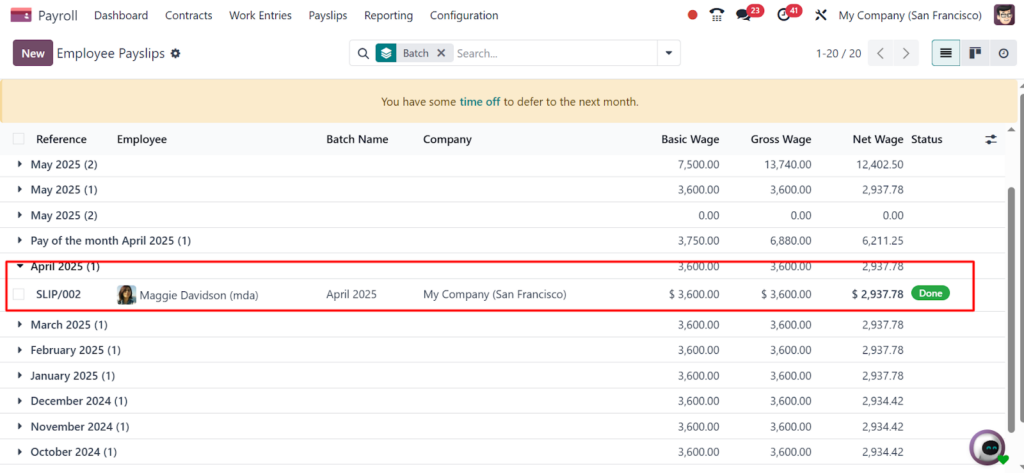
Click on any payslip line to open the detailed view. Here, you can:
- See salary breakdowns by component (basic, allowances, deductions, etc.)
- Confirm bank account details
- Verify the payment status
- Check any custom notes from HR
Step 4: Download the Payslip as PDF
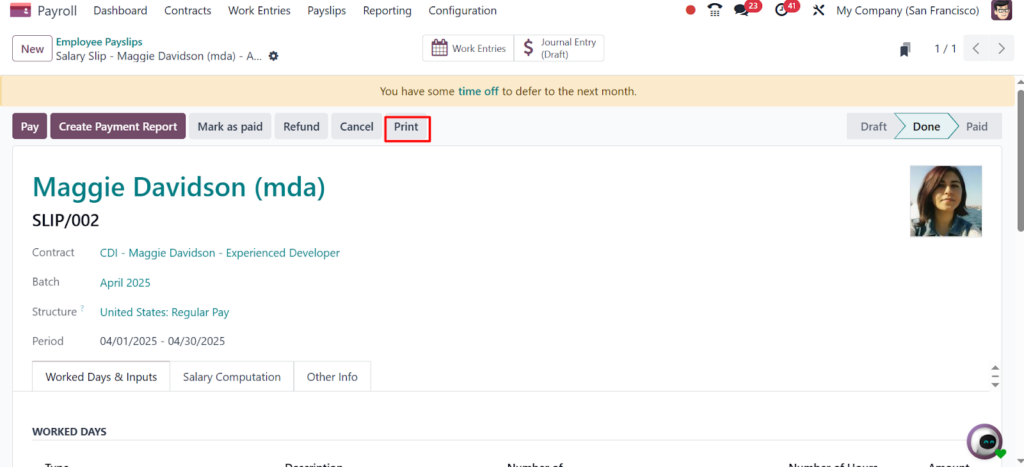
To save a copy for your records:
- Open the specific payslip you want to download
- Look for the “Print” button or “Download PDF” option (usually at the top or in the action dropdown)
- Click it, and your payslip will be generated as a PDF file
This file can now be stored, printed, or sent as needed.
Additional Tips:
- Payslips are usually created monthly by your HR or Payroll team and automatically made available once finalized.
- If you do not see any payslip, it may not be published yet. Contact your HR department in that case.
- Make sure your email and bank details are accurate in your profile, as they are often included in the payslip.
Why Odoo Makes Employee Self-Service Easy
Odoo 18’s modern interface not only simplifies payroll access but also empowers employees by reducing dependency on HR for minor requests. Employees can:
- View multiple payslips in one place
- Quickly check discrepancies
- Stay informed about their compensation structure
This reduces errors and increases transparency between HR and employees.
Final Words
Being able to access and download your payslips independently saves time and enhances trust in your organization’s payroll process. Thanks to Odoo 18 Enterprise, all your salary details are now just a few clicks away — secure, accurate, and always accessible.
>Get a free 30-minute review with an Odiware Odoo consultant — bring your current setup and we'll map the fastest route to a working configuration.
 ODOO IMPLEMENTATION PARTNER