Managing hourly employees can be tricky if you’re calculating salaries manually. But with Odoo ERP, you can connect the Timesheets app with the Payroll module to automatically calculate salaries based on the hours worked. This guide will show you how to link Odoo Timesheets with Payroll for a smooth, error-free payroll process.
Step-by-Step Guide to Connecting Odoo Timesheets with Payroll for Hourly Employees
Managing hourly employees can be tricky if you’re calculating salaries manually. But with Odoo ERP, you can connect the Timesheets app with the Payroll module to automatically calculate salaries based on the hours worked. This guide will show you how to link Odoo Timesheets with Payroll for a smooth, error-free payroll process.
Whether you’re in Manufacturing, IT, or Real Estate, this integration can save time and improve accuracy.
Step 1: Install Required Odoo Apps
Make sure the following Odoo modules are installed:
- Timesheets
- Payroll
- Employees
- Contracts
To do this:
- Go to the Apps menu.
- Search and install Timesheets and Payroll.
- Also ensure Employees and Contracts apps are active.
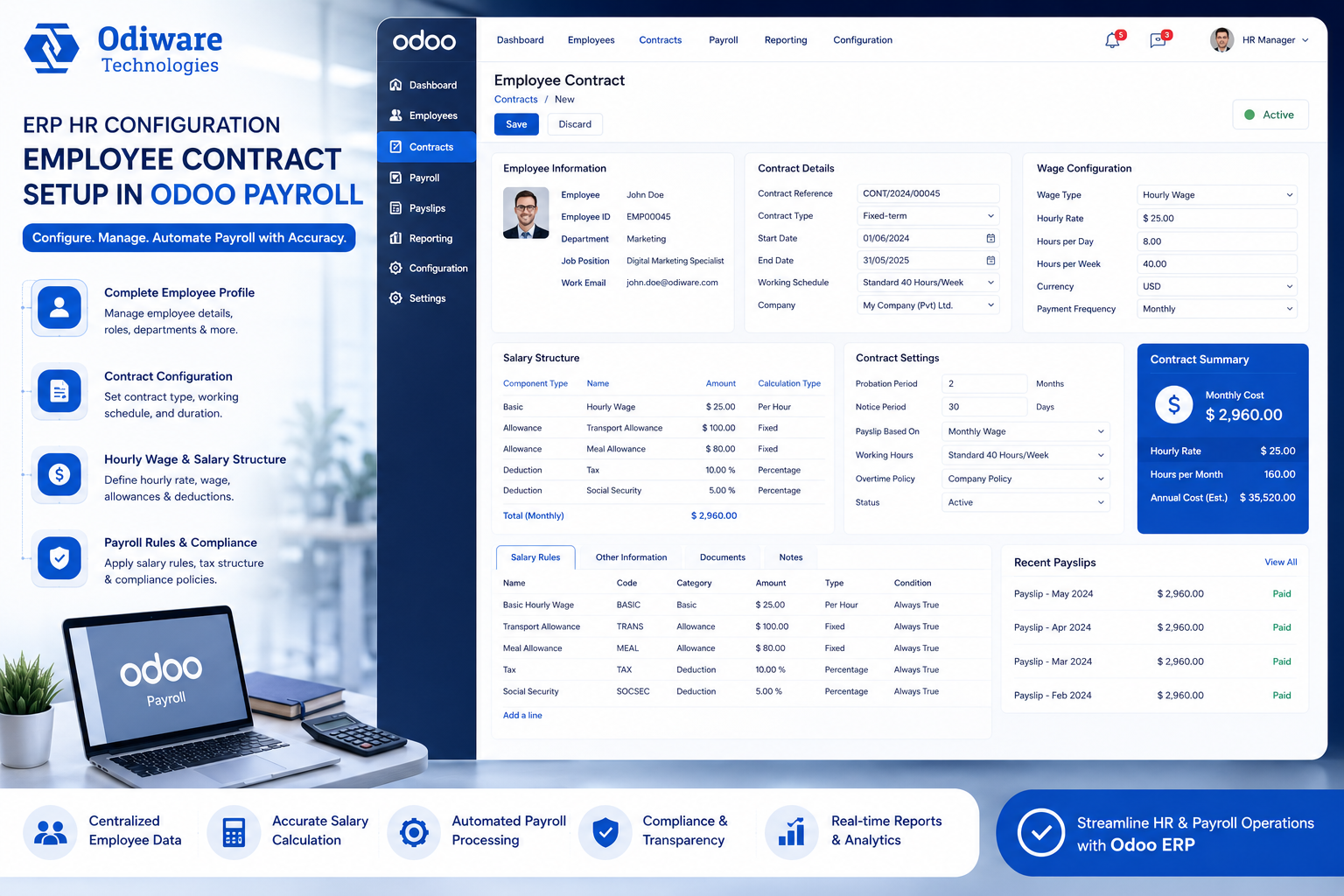
Step 2: Configure Employee Contracts for Hourly Wages
You need to set up the employee contract with hourly wage configuration.
- Go to Employees > Contracts.
- Create or edit an employee contract.
- In the contract form:
- Set Wage Type to Hourly.
- Enter the Hourly Rate (e.g., ₹500/hour).
- Save the contract.
📝 This is very important — Odoo uses this hourly rate along with timesheet data to calculate salaries.
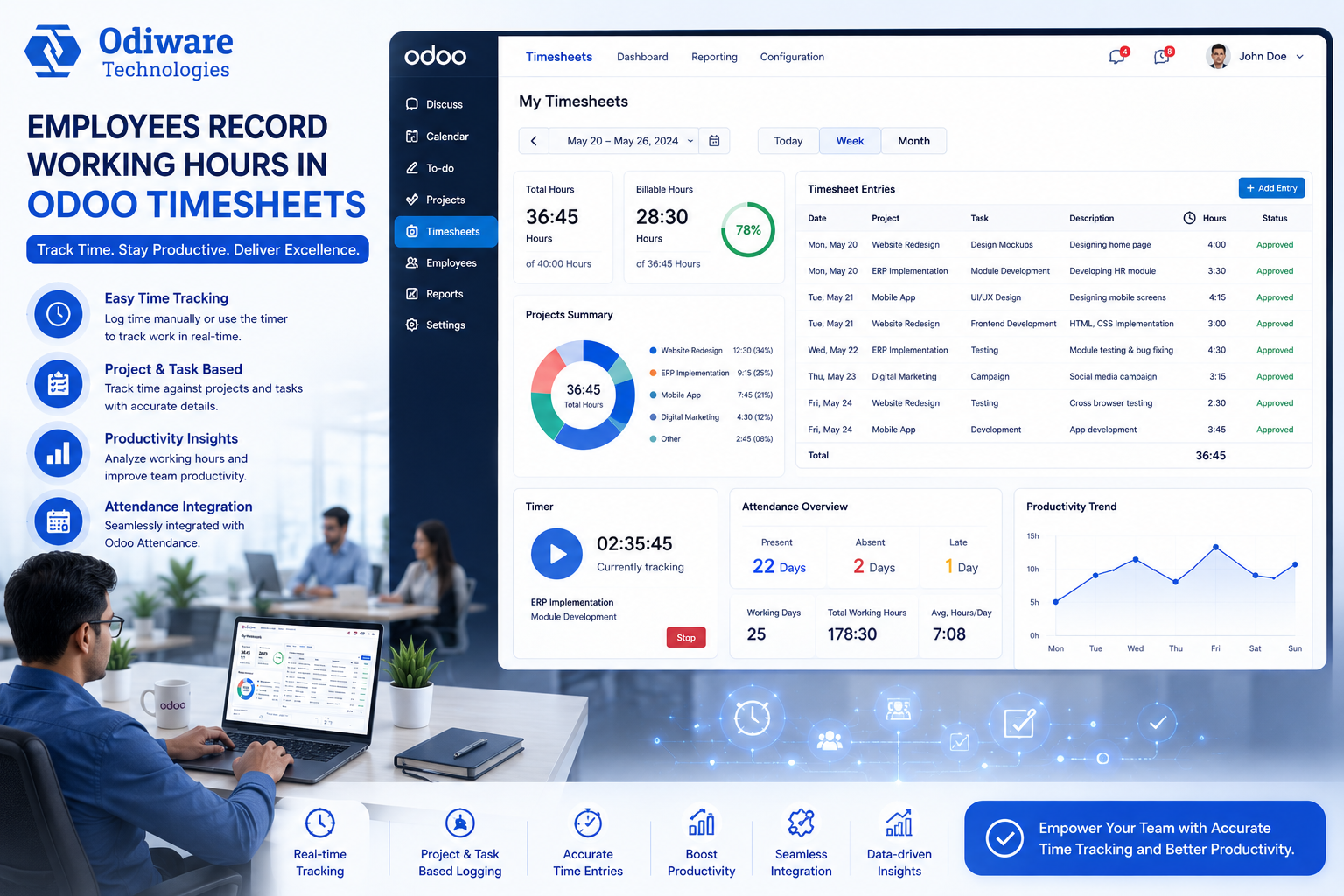
Step 3: Record Working Hours Using Timesheets
Now, track your employees’ working hours.
- Go to Timesheets > My Timesheets or All Timesheets.
- Employees or managers can log work hours daily or weekly.
- Each time entry must include:
- Employee
- Project or Task (optional)
- Number of hours worked
- Date
Make sure employees are assigned correctly to contracts and timesheet projects.
Step 4: Link Timesheet Hours in Payroll
Now we connect the timesheet hours to the payslip.
- Go to Payroll > Payslips.
- Click Create and choose the employee.
- Set Date From and Date To (make sure it matches the timesheet period).
- The timesheet hours will be fetched automatically (if configured right).
- Click Compute Sheet.
💡 You’ll now see the total worked hours multiplied by the hourly rate — generating the exact amount to be paid.
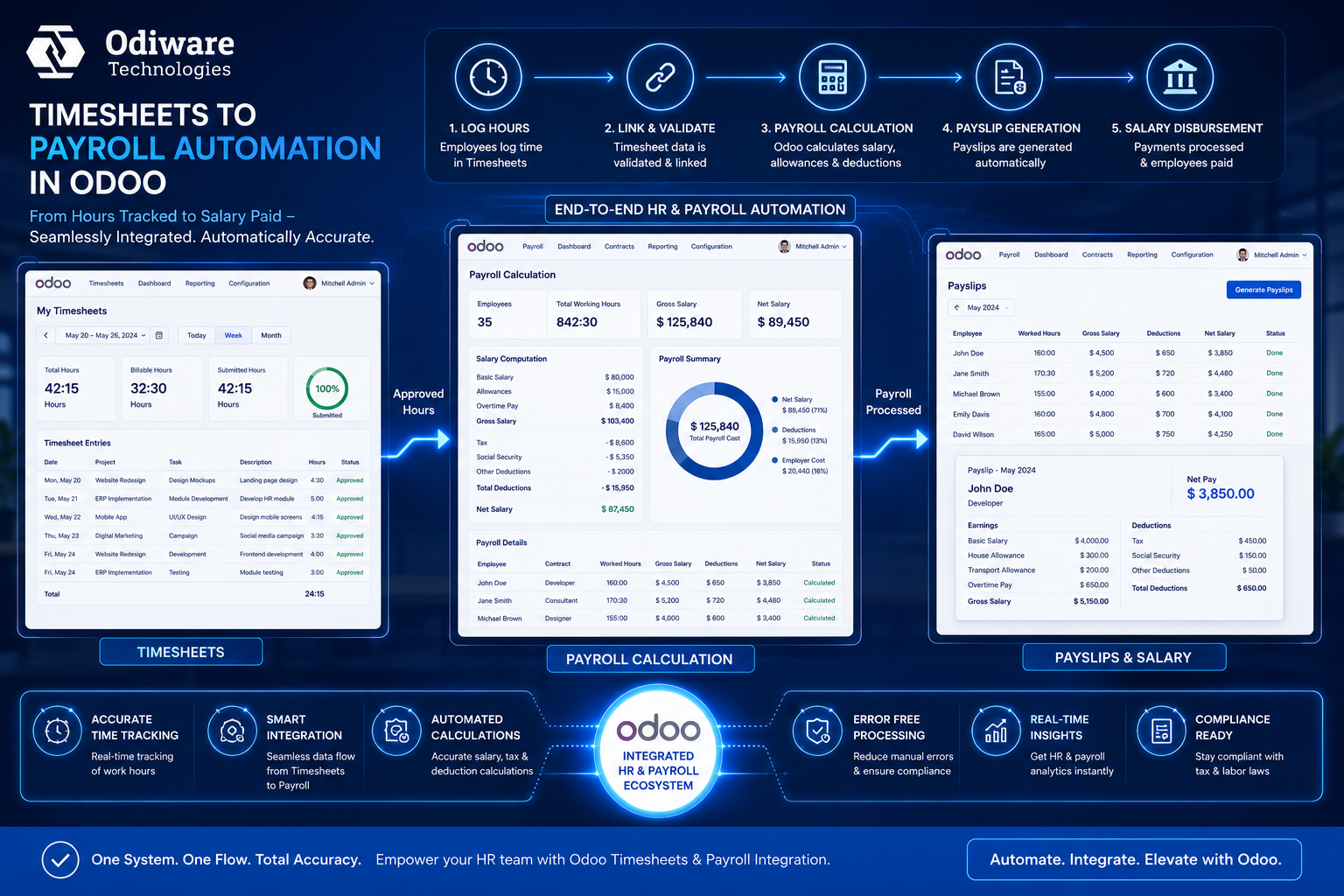
Step 5: Customize or Automate (Advanced)
If you want to auto-fetch timesheet hours into payroll or customize the logic, a developer can help with a simple script. For example, use Python code to pull timesheet hours based on date and employee, then apply it in salary computation.
You can also use Odoo Studio to add fields like “Total Hours” into your Payslip form, without coding.
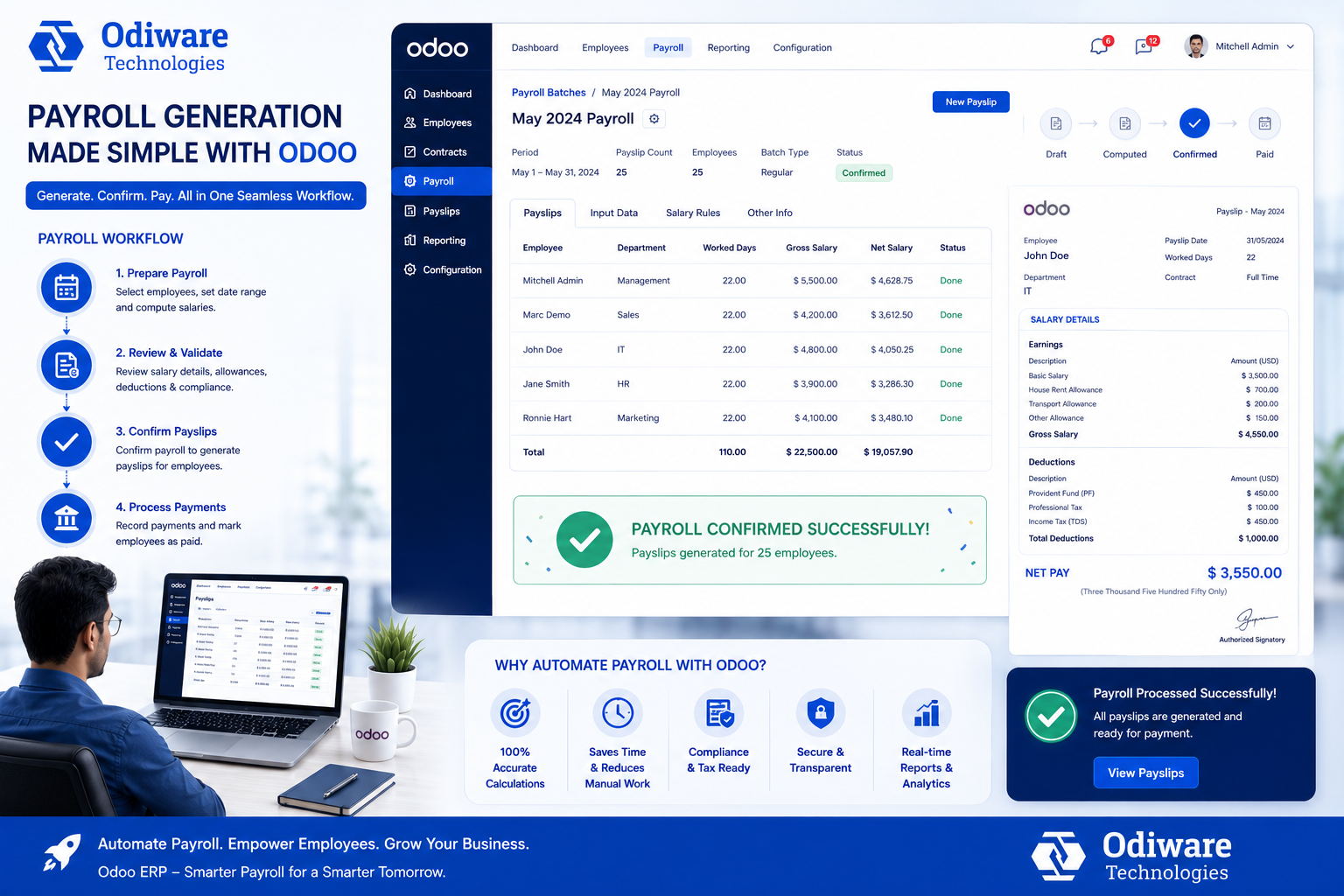
Step 6: Confirm and Generate Payslip
- Once everything looks good, click Confirm.
- You can now Generate Payslip, Print, or Send by Email.
That’s it! Your payroll is now linked with real-time work logs using Odoo Timesheets.
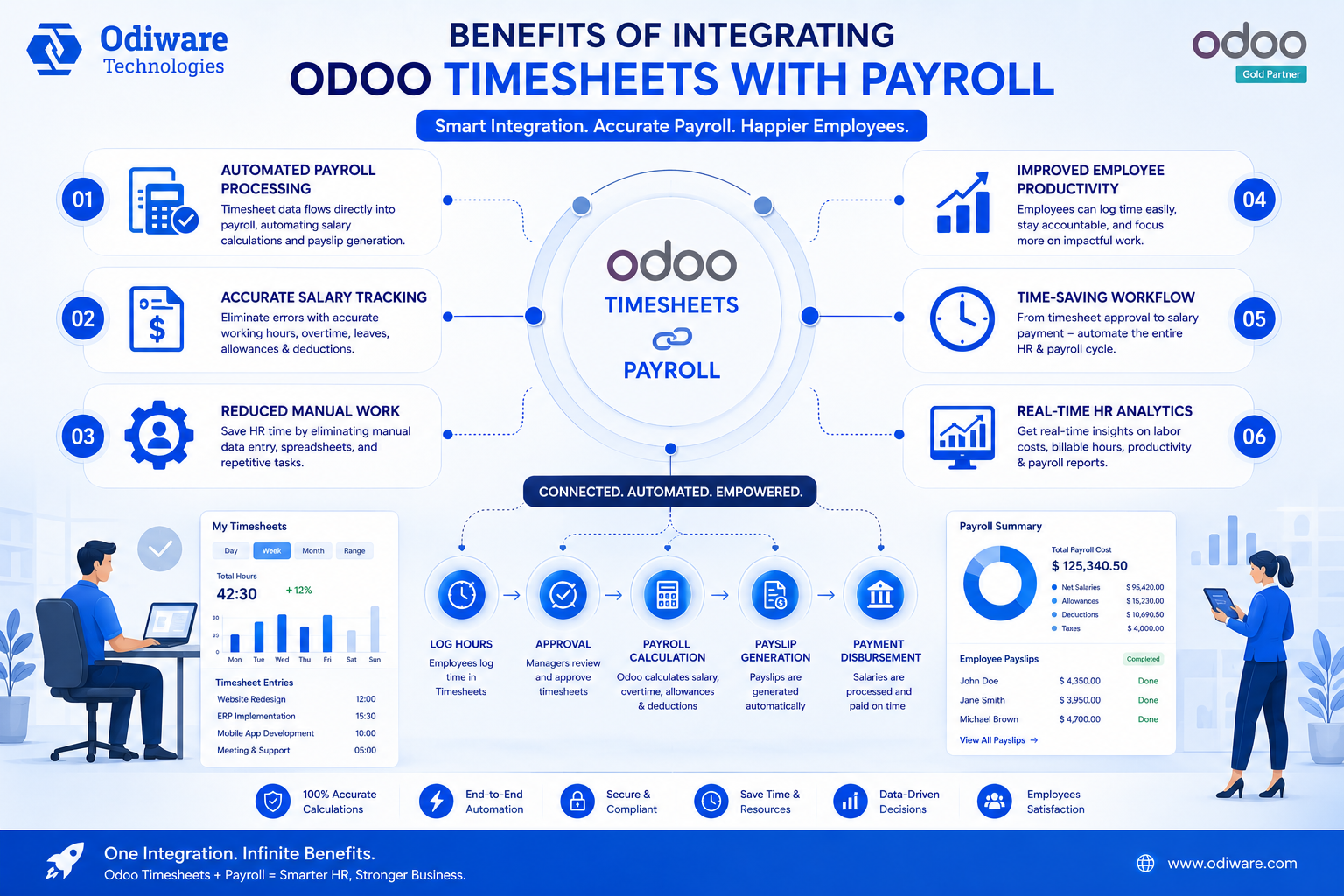
Why This Integration Helps
- No manual calculation errors
- Accurate pay for hourly staff
- Transparent salary structure
- Saves HR and finance time
- Works across industries like Manufacturing, IT, and Real Estate
Need Help with Odoo Payroll Integration?
At Odiware Technologies, we specialize in Odoo implementation, including Odoo Payroll, Timesheets, and HRMS solutions tailored to your business needs.
📞 Call Us: +91 86608 65440
📧 Email Us: sales@odiware.com
🌐 Website: www.odiware.com
📍 Let us help you streamline your HR and Payroll system with Odoo ERP!
Get a free 30-minute review with an Odiware Odoo consultant — bring your current setup and we'll map the fastest route to a working configuration.
 ODOO IMPLEMENTATION PARTNER