



Let’s discuss Which One Should You Use For your business?
When it comes to customizing Odoo ERP, One common question strike into our mind is:
“Should we go with Odoo Studio or use custom coding?”
Both options allow you to tailor Odoo to your needs — but which one is the made for you?
In this blog, we’ll break it down for you step-by-step, so you can make the best decision which one is made for you for your life long business partner ha ha just kidding lets start,
What is Odoo Studio?

Odoo Studio is a no-code/low-code tool inside Odoo that lets you customize your system using a simple drag-and-drop interface. This seems easy right.
It allows you to:
- Create or modify fields
- Design new forms or views
- Automate workflows
- Build custom reports
- Customize menus
Available in: Odoo Enterprise (version 10+) Basically you have to pay money.
What is Custom Code in Odoo?

Custom code means writing Python and XML code to build or modify modules in Odoo. It gives complete freedom to change how Odoo behaves and looks.
This is done by Odoo developers using technical tools like:
- Odoo Framework
- Python
- QWeb (for reports)
- JavaScript (for front-end)
Available in: Both Odoo Community and Enterprise But you have to spent money on developers or you can learn python and odoo framework.
Let’s get into deeper and see which one is good:
Odoo Studio vs Custom Code Feature Comparison
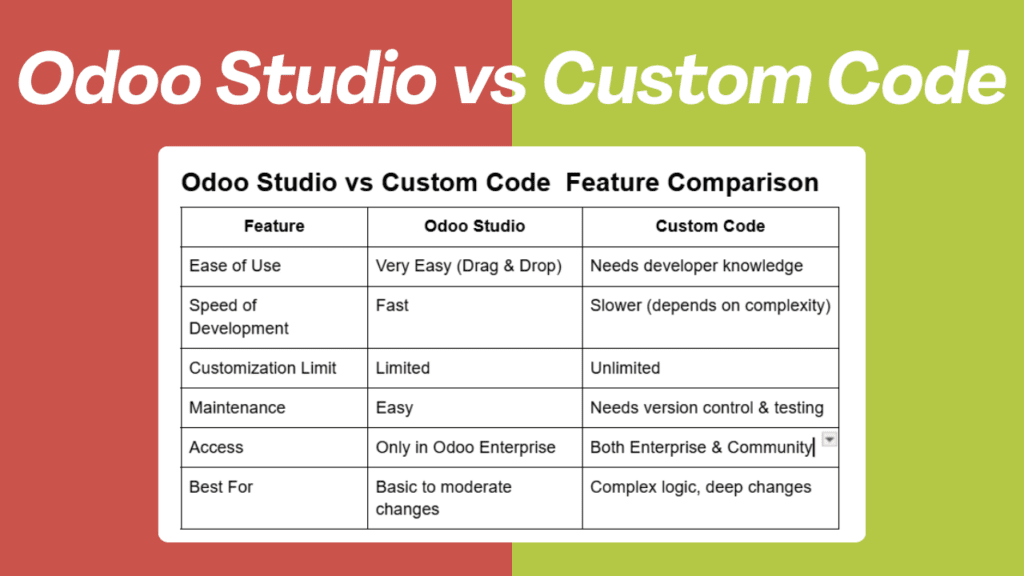
| Feature | Odoo Studio | Custom Code |
| Ease of Use | Very Easy (Drag & Drop) | Needs developer knowledge |
| Speed of Development | Fast | Slower (depends on complexity) |
| Customization Limit | Limited | Unlimited |
| Maintenance | Easy | Needs version control & testing |
| Access | Only in Odoo Enterprise | Both Enterprise & Community |
| Best For | Basic to moderate changes | Complex logic, deep changes |
When to Use Odoo Studio
Use Odoo Studio if:
- You want simple customizations
- You don’t want to hire a developer
- You’re already using Odoo Enterprise
- You want to build small apps or reports quickly
- You prefer a visual, no-code approach
Example Use Cases:
- Adding a custom field in Sales
- Creating a new view for employees
- Automating approval flows
When to Choose Custom Code
Go for custom coding if:
- You need complex logic or advanced features
- Your changes affect backend workflows
- You’re using Odoo Community
- You want to build integrations with third-party tools
- You want full control and flexibility
Example Use Cases:
- Custom payroll rules
- Connecting Odoo with external APIs
- Building a full custom module like CRM or POS extension
Things to Consider Before Deciding
- Budget:
Odoo Studio is faster and cheaper short-term.
Custom code may cost more but offers full control. - Long-Term Maintenance:
Odoo Studio changes are easier to update.
Custom code needs proper version handling during Odoo upgrades. - Team Skillset:
No in-house devs? Go with Odoo Studio.
Have developers or working with a partner like Odiware? Custom code can be powerful.
So, Let’s end this Which One Should You Use?
| Situation | Best Choice |
| Quick field and form customizations | Odoo Studio |
| Advanced workflows or complex conditions | Custom Code |
| Working with Odoo Community version | Custom Code |
| No technical knowledge available | Odoo Studio |
| Need third-party integrations | Custom Code |
Expert Tip from Odiware
Many of our clients start with Odoo Studio to quickly test their needs.
Then we help them scale up with custom code when things get more complex.
It’s not about “Studio vs Custom Code” — it’s about what’s best right now for your business.
You just have to start from somewhere. It doesn’t matter if you are starting from Odoo Studio or Custom Code as you will scale up your business. You need a developer but don’t worry odiware is here with you .
Final Thoughts
Both Odoo Studio and Custom Code are powerful tools — but the right one depends on your:
- Business size
- Complexity of workflows
- Budget
- Future goals
If you’re unsure, don’t worry — We are giving free consultation so we click here and book your seat.
Need Help Customizing Odoo?

At Odiware Technologies Pvt. Ltd., we help startups, SMEs, and enterprises customize Odoo using both Studio and custom development from small to big company. We are there with you till the end ha ha.
Whether you’re using Odoo Community or Enterprise, we’ll help you:
- Build custom modules
- Speed up implementation
- Automate your business
📩 Contact us today
📧 sales@odiware.com
🌐 www.odiware.com
📞 +91 86608 65440
Let’s make Odoo work exactly the way your business needs it.